


already an explanation here http://onlinesequencer.net/experiments
but I'll post this anyway since people tend to ask this question a lot
also algebra alert warning
1. go to your browser's web console; ctrl+shift+k for Firefox, ctrl+shift+j for Chrome (I think)
if you're not using either of those browsers then research how to access the web console on your own
either that or download Firefox/Chrome
2. find the command line, probably denoted by a ">>" or something along that
3. type "grid=(1/4)/(x)" in the command line (without the quotes) where x is the amount of space the note takes up in a beat/multiple beats, then press enter
for a note that takes up a quarter of a beat, you would type "grid=(1/4)/(1/4)"
also, this is the default length
here is 1 beat divided among 4 notes: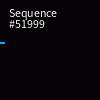
for a note that takes up one third of a beat (i.e. a triplet), you would type "grid=(1/4)/(1/3)"
here is 1 beat divided among 3 notes: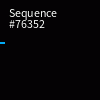
for a note that takes up one beat, you would type "grid=(1/4)/(4/4)"
here is a note that is 1 beat long: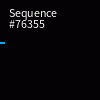
for a note that takes up TWO beats, you would type "grid=(1/4)/(8/4)"
here is a note that is 2 beats long: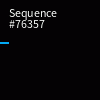
and finally, for a slightly more complicated example...
for a note that takes up one and three-fourths beats, you would type "grid=(1/4)/((4/4)+(3/4))"
take note of the parentheses that prevent order of operations from screwing you over
- alternate form A: grid=(1/4)/(1+(3/4))
- alternate form B: grid=(1/4)/(7/4)
here is a note that is 1 and 3/4ths beats long:
some (if not all) of the expressions here can be simplified; I was just showing the unsimplified forms for the sake of presentation
the above are just examples, you can pretty much produce any note length you want as long as you know how to manipulate this stuff correctly
also i'm not sure why you'd want to use sustained notes but whateva
but I'll post this anyway since people tend to ask this question a lot
also algebra alert warning
1. go to your browser's web console; ctrl+shift+k for Firefox, ctrl+shift+j for Chrome (I think)
if you're not using either of those browsers then research how to access the web console on your own
either that or download Firefox/Chrome
2. find the command line, probably denoted by a ">>" or something along that
3. type "grid=(1/4)/(x)" in the command line (without the quotes) where x is the amount of space the note takes up in a beat/multiple beats, then press enter
for a note that takes up a quarter of a beat, you would type "grid=(1/4)/(1/4)"
also, this is the default length
here is 1 beat divided among 4 notes:
for a note that takes up one third of a beat (i.e. a triplet), you would type "grid=(1/4)/(1/3)"
here is 1 beat divided among 3 notes:
for a note that takes up one beat, you would type "grid=(1/4)/(4/4)"
here is a note that is 1 beat long:
for a note that takes up TWO beats, you would type "grid=(1/4)/(8/4)"
here is a note that is 2 beats long:
and finally, for a slightly more complicated example...
for a note that takes up one and three-fourths beats, you would type "grid=(1/4)/((4/4)+(3/4))"
take note of the parentheses that prevent order of operations from screwing you over
- alternate form A: grid=(1/4)/(1+(3/4))
- alternate form B: grid=(1/4)/(7/4)
here is a note that is 1 and 3/4ths beats long:
some (if not all) of the expressions here can be simplified; I was just showing the unsimplified forms for the sake of presentation
the above are just examples, you can pretty much produce any note length you want as long as you know how to manipulate this stuff correctly
also i'm not sure why you'd want to use sustained notes but whateva
HEY THIS IS DC LET ME KNOW IF YOU'RE HERE I MISS YOU DUDE 
bruh how did you even get my pw
HEY THIS IS LUCENT IDK WHO YOU ARE BUT LET ME KNOW IF YOURE HERE I MISS YOU TOO
bruh how did you even get my pw
HEY THIS IS LUCENT IDK WHO YOU ARE BUT LET ME KNOW IF YOURE HERE I MISS YOU TOO