














3 replies
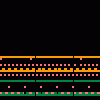
2 replies
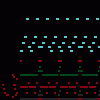
Meshuggah- Lethargica
Lethargica by Meshuggah
MY ASS.... C L E N C H E S
ITS DETERMINED C H E E K S
A LETHARGIC...
CARELESS MOTION...
TO FART
MONSTROUS, PRODIGIOUS, INDIFFERENT
SLOW AND DELIBERATE ITS TORTUROUS SMELL
MY ASS.... C L E N C H E S
ITS DETERMINED C H E E K S
A LETHARGIC...
CARELESS MOTION...
TO FART
MONSTROUS, PRODIGIOUS, INDIFFERENT
SLOW AND DELIBERATE ITS TORTUROUS SMELL
8 Comments
oh and btw the breakdowns INSANE on here, guitar tone too.
3 replies
Often what achieves the metal tone for me is letting the Bass Guitar carry the Low range with +6.00 Low End. Then with Distortion Guitar dropping the low just a bit and adding full Rhythm effect and Full Limit effect. Then add another guitar track on top of it that focus on lead or high end frequency with a bit of distortion. So really I'm trying to create a wide deep wall of sound playing with the equalizer between 3 instruments.
@Polymath: Its not the same recipe for every song but trying to play with the advanced settings and effects using the timbre of multiple instruments together to achieve as close as possible of the same sound to the originally recorded song.
@Polymath: thats a beeg brain tone recipe
you could do obzen (title track), WOULD BE FIRE
2 replies
CHALLENGE ACCEPTED. I finished I am That Thirst yesterday ***** goes dummy hard.
@Polymath: gg with finishing i am that thirst bro,
Sometimes you have to chart a whole Meshuggah song just to get to the outro that you like.
Link to this sequence: 4608596
Simple
Advanced
Synthesizer
Instrument name
Mute
Solo
Copy
Load
Clone
Delete
Stack...
Clear Solo
Reset
Volume
Delay
Panning
Detune
Reverb
Distort
Equalizer
High
Mid
Low
Bitcrusher
Synthesizer
Resonance (Q)
LFO
1/4
Envelope
A
D
S
R
Offset
Delay
BPM
Title
Instrument
- Select/deselect notes
- Select/deselect markers
- Save a copy
- Save offline
- Export MP3
- Export WAV
- Export MIDI
- Import MIDI/Sequence File
- Fast graphics
- Invert
- Minor ⇄ Major
- Reverse Selection
- Humanize Selection
- Legatomize Selection
- Fade In Selection
- Fade Out Selection
- Stretch Selection
8
Connect a MIDI keyboard.
Record keyboard and MIDI inputs.
Snap recorded notes to the grid.
Filter recorded notes using the key guide.
Play a metronome. When recording, gives a 4 beat lead in.
OnlineSequencer.net is an online music sequencer. Make tunes in your browser and share them with friends!
Made by Jacob Morgan and George Burdell
·
Hosting 5,194,760 sequences since 2013 ·
Buy us a ☕ ·
Privacy
·