




































#
TITLE
Sillyluke73
12/23/25 16:34
4 replies
Blockmage
12/23/25 17:34
Sillyluke73
12/23/25 18:03
Blockmage
12/24/25 7:15
Sillyluke73
12/24/25 8:26
Sillyluke73
12/22/25 19:04
3 replies
Sillyluke73
12/22/25 19:05
Blockmage
12/23/25 0:59
Sillyluke73
12/23/25 15:49
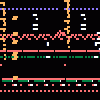
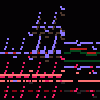
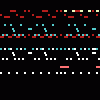
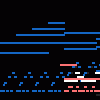
HH DS︰ EMH - Boss Room (tubular bell test) (WIP)
Note: tubular bell synthesized via additive synthesis.
Update: all synthesizer clones making up the tubular bell were stacked into a single instrument named "Tubular bell"
9 Comments
HOW DO YOU HAVE 34 SYNTHESISERS?
4 replies
I used the "clone" function (I actually used 12 clones for the tubular bell, starting at synthesizer clone #19).
@Blockmage: how do you use that?
@Sillyluke: @Sillyluke: Use the "clone" button located in the advanced tab. Note: the "reset" button is still buggy for the synthesizer instrument (it will make the synthesizer clones share the same waveform, filters, resonance, LFOs and envelopes).
@Blockmage: thank you for helping me
good
3 replies
how did you get tubular bells
@Sillyluke: @Sillyluke: I stacked several synthesizer (sine wave) clones at varying frequencies and volumes, based on the spectrum of a tubular bell (tuned to A5) sound sample I have.
@Blockmage: Cool! I'll try that for my Christmas song tomorrow.
Link to this sequence: 5089924
Simple
Advanced
Synthesizer
Instrument name
Mute
Solo
Copy
Load
Clone
Delete
Stack...
Clear Solo
Reset
Volume
Delay
Panning
Detune
Reverb
Distort
Equalizer
High
Mid
Low
Bitcrusher
Synthesizer
Resonance (Q)
LFO
1/4
Envelope
A
D
S
R
Offset
Delay
BPM
Title
Instrument
- Select/deselect notes
- Select/deselect markers
- Save a copy
- Save offline
- Export MP3
- Export WAV
- Export MIDI
- Import MIDI/Sequence File
- Fast graphics
- Invert
- Minor ⇄ Major
- Reverse Selection
- Humanize Selection
- Legatomize Selection
- Fade In Selection
- Fade Out Selection
- Stretch Selection
9
Connect a MIDI keyboard.
Record keyboard and MIDI inputs.
Snap recorded notes to the grid.
Filter recorded notes using the key guide.
Play a metronome. When recording, gives a 4 beat lead in.
OnlineSequencer.net is an online music sequencer. Make tunes in your browser and share them with friends!
Made by Jacob Morgan and George Burdell
·
Hosting 5,225,408 sequences since 2013 ·
Buy us a ☕ ·
Privacy
·